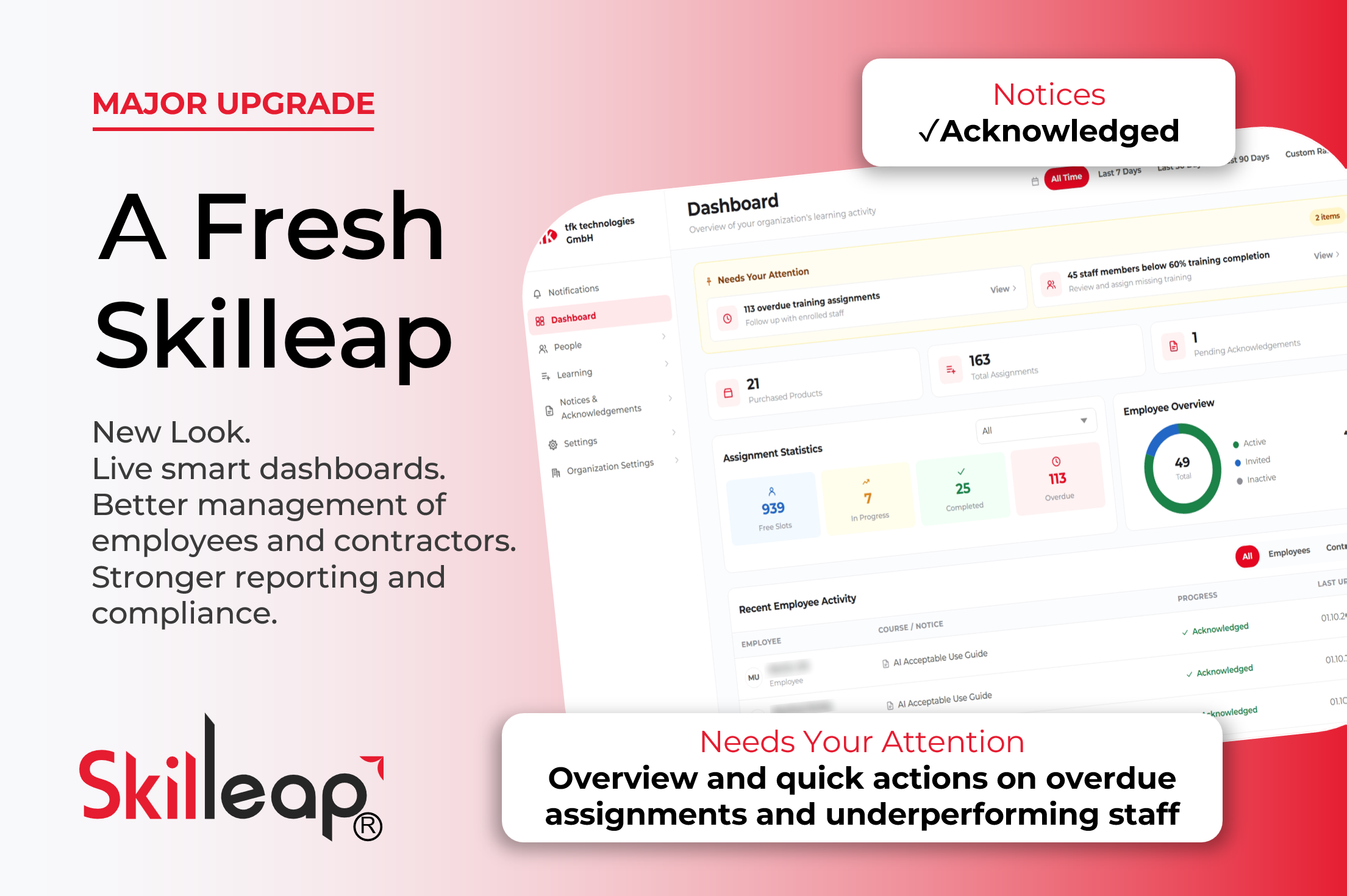
Major Upgrade to Skilleap: New Look, Smarter Dashboards, and Stronger Compliance
-
 Skilleap Development
-
 Better UX, Dashboards, Notice and Compliance, Reporting and Export, New Look
-
 05 Oct 2026
Today we're releasing the biggest upgrade in Skilleap's history: a modern interface, dashboards built for action, and new tools for notices, and better management of contractors.
Let's start with the improved design and the cleaner look. Our aim was clear improve user experience for all users: Company Admins or Training Managers, Employees, and Contractors (Third-Party).
A cleaner look and a simpler way to navigate.
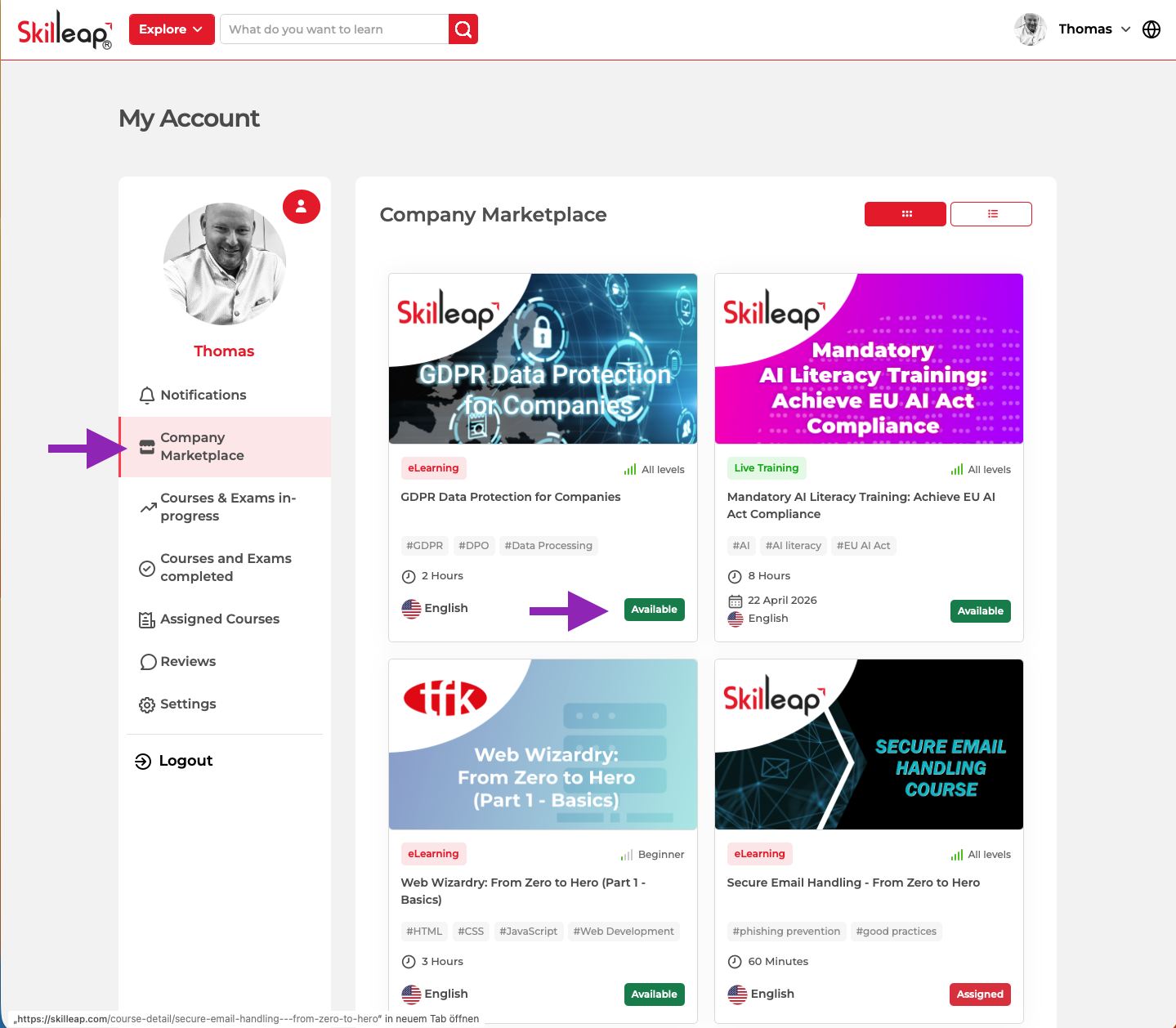
Every screen has been redesigned with a modern, card-based layout and colour-coded statuses, so you can read the state of your training at a glance. The sidebar has been reorganised into clear sections (Dashboard, People, Learning, and Notices & Acknowledgements), so the tools you need are never far away.
An admin dashboard that tells you what needs attention
The new company admin dashboard opens with a Needs Your Attention panel that surfaces the issues that matter most, such as overdue training assignments and staff members below 60% training completion, each one a click away from follow-up.
Below that, you get assignment statistics (free slots, in progress, completed, overdue), an employee overview showing who is active, invited, or inactive, and a live feed of recent employee activity. A date-range filter lets you switch between all time, the last 7, 30, or 90 days, or a custom range.
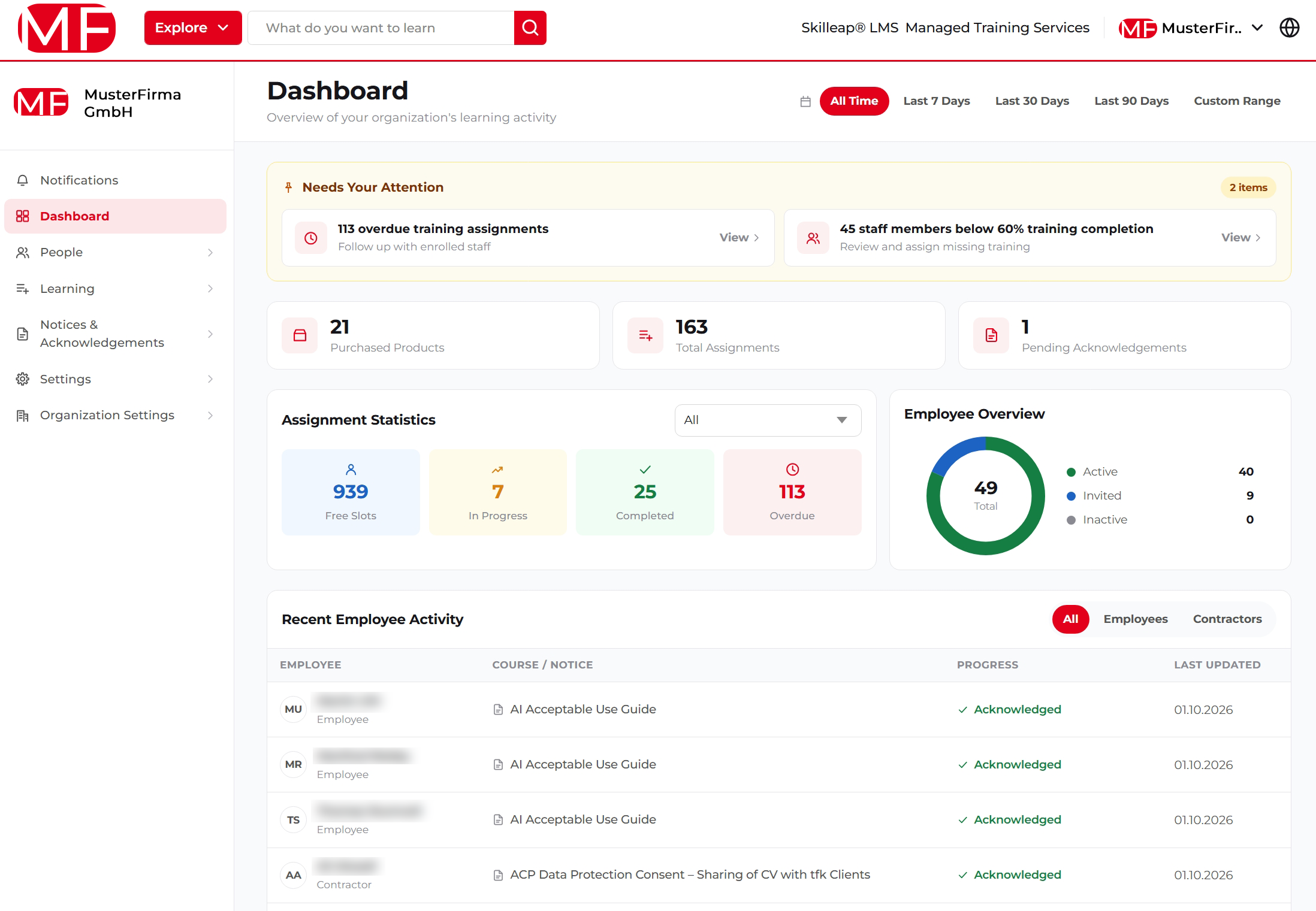
The new Skilleap company admin dashboard: alerts, statistics, and recent activity in one view.
Assignments with quick actions
The redesigned Assignments page groups courses by category (Compliance, Cybersecurity, IT Training) and shows progress, deadlines, and status for every course. Expand a course to see each learner, and use quick actions to assign training, move a deadline, or reset progress, individually or in bulk. Need the data elsewhere? Export it.
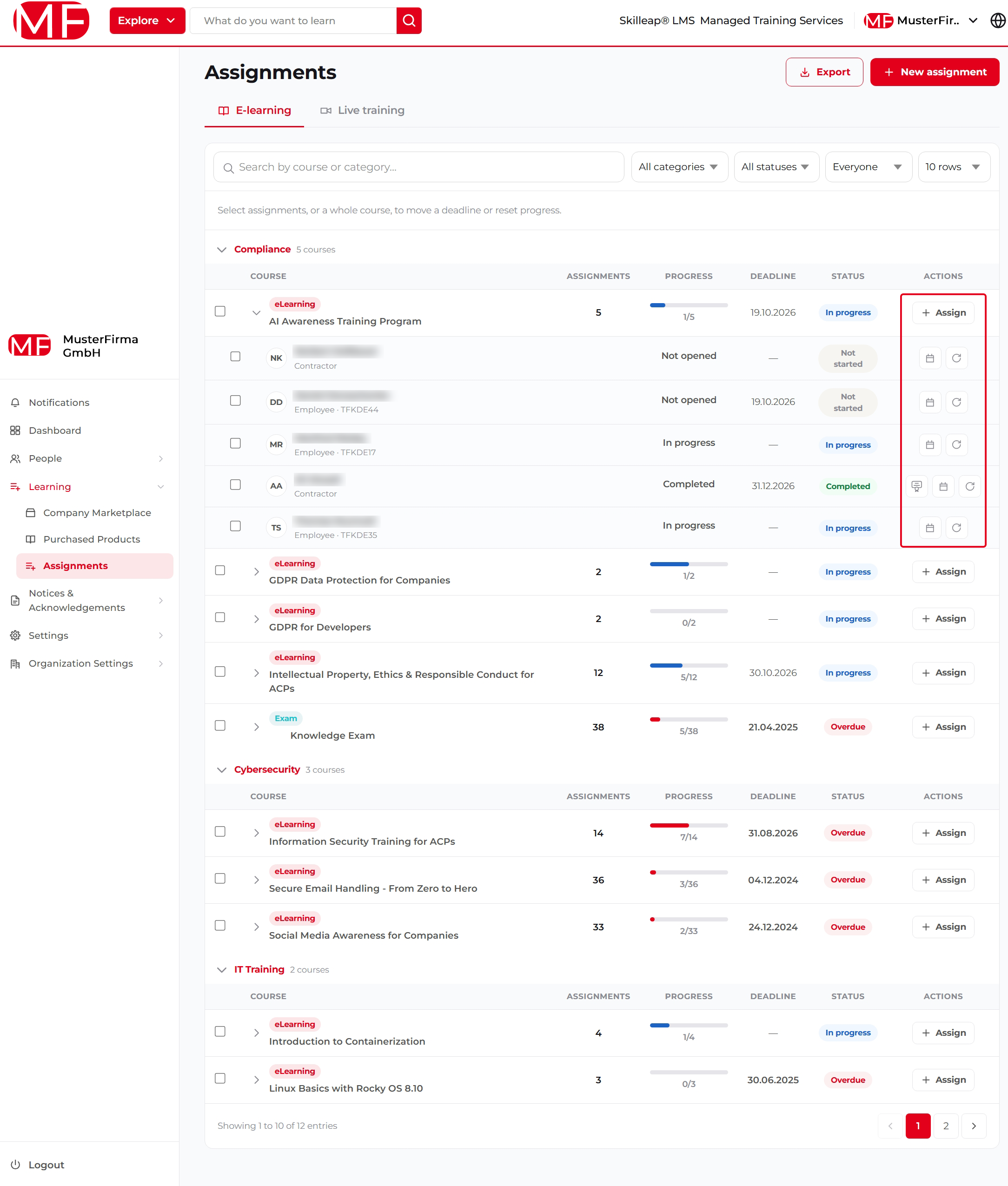 Assignments grouped by category, with quick actions per learner and per course.
Notices & Acknowledgements: compliance you can prove
Some obligations aren't courses. They're policies and consents people must read and confirm. The new Notice Library lets you publish notices, such as data protection consents or an AI acceptable use guide, organise them by topic and category, set deadlines, and see exactly who has acknowledged each one.
- Progress bars show acknowledgement status at a glance (for example, 3/3 for the AI Acceptable Use Guide)
- Filter by topic, category, and status to find what you need quickly
- Pending acknowledgements are surfaced right on your dashboard
- Export your data when auditors or stakeholders ask for it
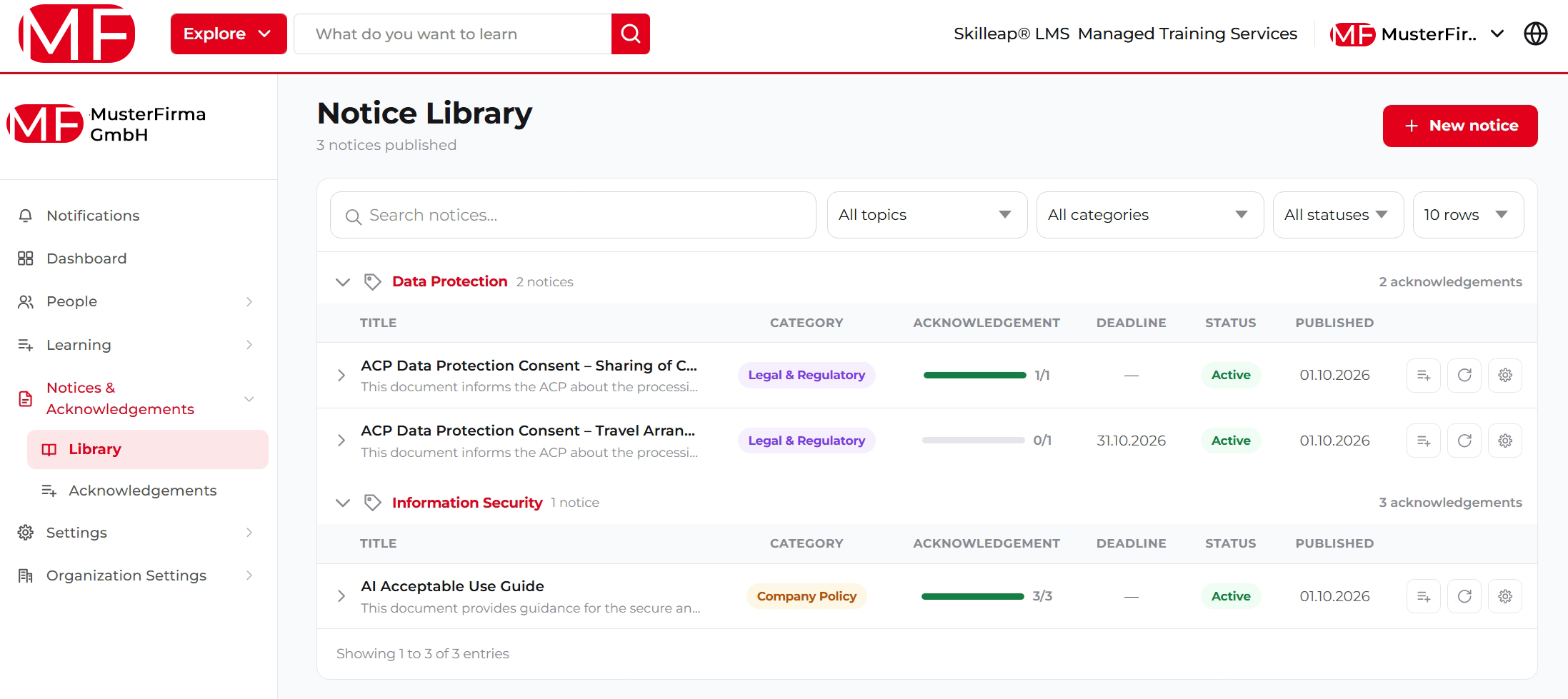
The Notice Library tracks acknowledgements for every policy and consent.
Whether it's GDPR consent, EU AI Act literacy training, or an internal acceptable use policy, you now have one place to assign it, track it, and document it.
Employees and contractors, clearly separated
Managing a mixed workforce shouldn't be risky. The People section now separates Employees and Contractors, with a dedicated Requests area, making management simpler and safer. Dashboard views can also be filtered by employees or contractors.
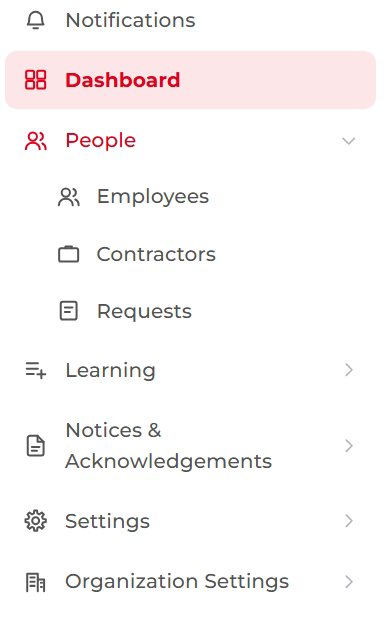
Skilleap People menu with Employees, Contractors and Requests
A personal home for every employee
Learners now land on a personalised home page that greets them by name and shows how many actions are pending. An overview of their learning and notices sits above a clear Actions Required list, with overdue items flagged so nothing slips through. A new notifications panel keeps them informed about newly assigned courses and approved requests.
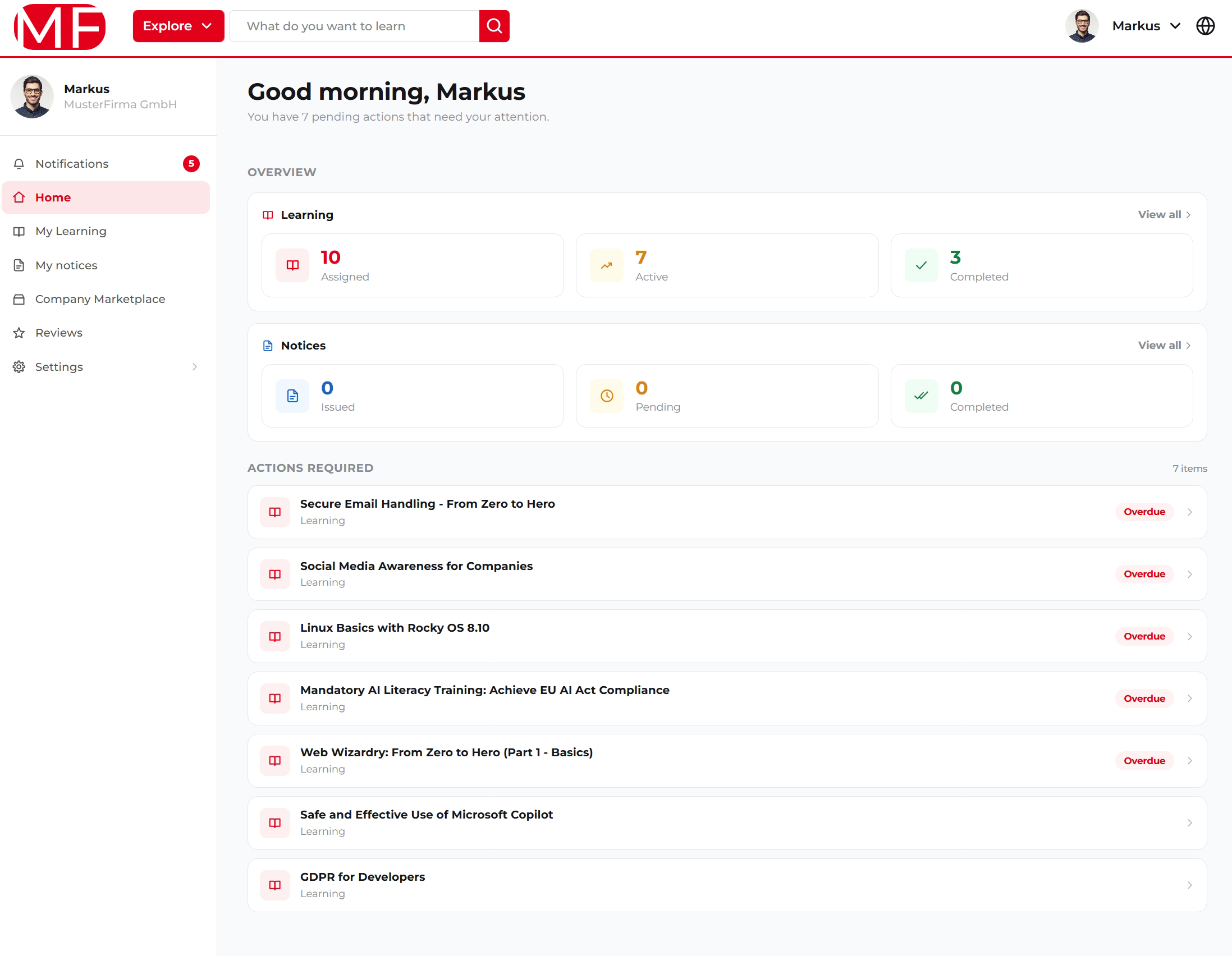
The employee home page: what's assigned, what's overdue, and what to do next
The bottom line: managers spend less time hunting for problems, employees know exactly what to do next, and your compliance evidence is ready when you need it.
Try it today
The new Skilleap is available now. Log in to explore the new dashboard, publish your first notice, and tell us what you'd like to see next.
https://skilleap.com/login
If you are a new user, then you can ask for a quotation or ask for a demo.